

Semantic search over local Markdown documentation is a common backend requirement.
Traditional tools like grep work well for keyword matching, but they fail when the query requires intent understanding.
This is where RAG (Retrieval-Augmented Generation) becomes useful.
To explore this pattern, I built a Local RAG CLI using:
- ChromaDB for vector storage
- Sentence-Transformers for embeddings
- Gemini 2.0 Flash for generation
This article walks through the architecture, implementation decisions, and the real-world failures encountered during development.
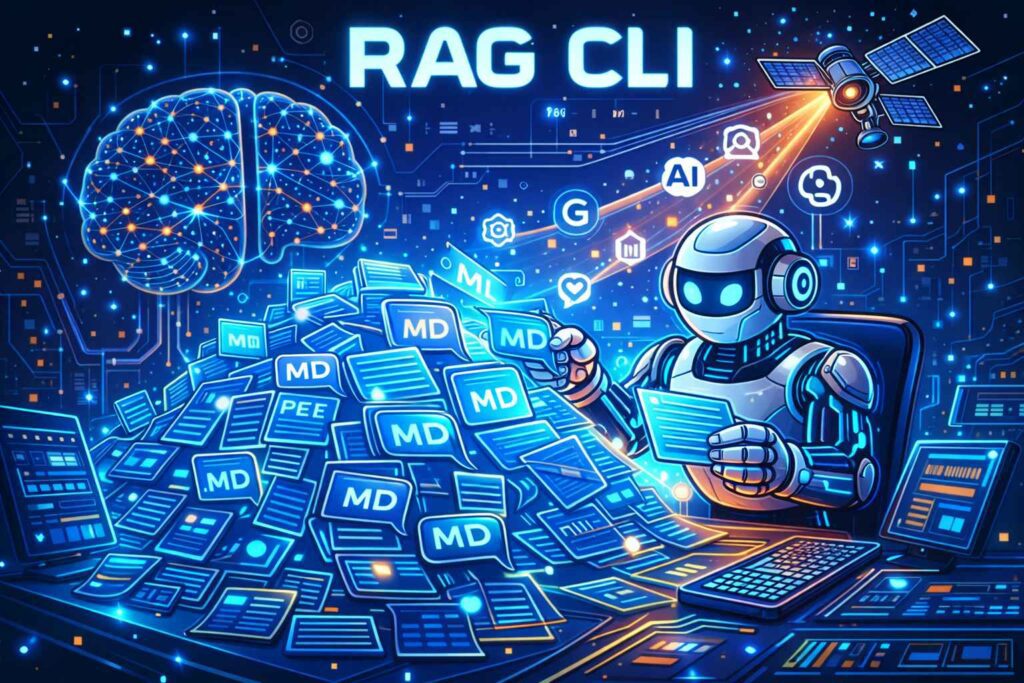
Architecture Overview: Local Retrieval, Remote Reasoning for Local RAG CLI
The system follows a hybrid RAG architecture:
- Local Embeddings – all-MiniLM-L6-v2
Embeddings are generated locally using Sentence-Transformers.
Advantages:
- zero API cost
- very low latency
- documents never leave your machine
- Local Vector Database – ChromaDB
ChromaDB was used as the vector store.
Reasons:
- persistent storage
- no external service required
- perfect fit for CLI tools
- no Docker dependency
- Remote Generation – Gemini 2.0 Flash
While retrieval runs locally, the reasoning and answer generation is offloaded to Gemini.
Benefits:
- very large context window
- strong instruction following
- faster responses than many local LLMs
This hybrid design keeps retrieval fast and private, while still benefiting from state-of-the-art LLM reasoning.
Failure #1: The Workspace Dependency Trap
The project uses uv for dependency and workspace management.
During runtime there was the following error:
RuntimeError: operator torchvision::nms does not exist
This happened because the shared .venv contained mismatched Torch versions.
Specifically:
torchtorchvision
were installed with incompatible builds.
The Fix
Upgrade the dependencies at the workspace root:
uv add torch torchvision transformers --upgrade
Lesson Learned
In monorepos or workspaces, dependency versions must remain synchronized across the entire environment.
Otherwise, debugging becomes extremely painful.
Failure #2: The SDK Deprecation Pivot
The initial implementation used the google-generativeai library.
Midway through development there was an issue with entering maintenance mode, which forced a migration to google-genai.
Old API (Deprecated)
import google.generativeai as genai
genai.configure(api_key=KEY)
model = genai.GenerativeModel('gemini-1.5-flash')
New API
from google import genaiclient = genai.Client(api_key=KEY)response = client.models.generate_content(
    model="gemini-2.0-flash",
    contents=prompt
)
The API design is cleaner, but the migration required reworking several integration points.
Failure #3: 404 Errors and Quota Surprises
During integration testing, the model gemini-1.5-flash returned a 404 NOT_FOUND. After listing available models through the API, this was the problem:
The API key did not have access to that model tier.
Switching to:
gemini-2.0-flash
resolved the issue.
Another issue appeared shortly after:
429 RESOURCE_EXHAUSTED
This occurs when:
- the API key has zero quota for the model
- the request limit is exceeded
Production Lesson
The AI handler must distinguish between:
- missing API key
- unavailable model
- quota exhaustion
Proper error handling prevents unnecessary debugging cycles.
Testing Strategy: The Testing Diamond
Instead of the traditional testing pyramid, I used a Testing Diamond approach.
Unit Tests
Focused on the ingestion pipeline, specifically:
- document chunking
- overlap handling
Mocked Flow Tests (Majority)
The bulk of tests mock the embedding model.
Example:
SentenceTransformer.encode()
One important discovery occurred here. The initial mock returned a Python list, while the real implementation returns a NumPy array.
Since the code called:
.tolist()
the tests failed.
Lesson – Mocks should return exactly the same type as the real dependency. Otherwise tests become misleading.
Integration Tests
A single integration test file runs against the real Gemini API.
Example:
import pytest
import os
from pathlib import Path
from dotenv import load_dotenv
from local_rag.ai import AIHandler
from local_rag.db import ChromaManager
from local_rag.ingest import Ingestor

# Load .env to get the real API key
load_dotenv()

@pytest.mark.skipif(not os.getenv("GEMINI_API_KEY"), reason="GEMINI_API_KEY not set in environment")
def test_real_gemini_integration(tmp_path):
    """
    Test the full flow with a real Gemini API call.
    This test will only run if GEMINI_API_KEY is present in the environment.
    """
    # Setup
    db_path = str(tmp_path / "integration_db")
    db_manager = ChromaManager(db_path=db_path)
    ai_handler = AIHandler()
    ingestor = Ingestor()

    # 1. Create a dummy doc
    doc_path = tmp_path / "architecture.md"
    doc_path.write_text("""
    # Project X Architecture
    Project X uses a microservices architecture.
    The primary database is PostgreSQL.
    The frontend is built with React and Tailwind CSS.
    It uses Gemini 1.5 Flash for its AI features.
    """)

    # 2. Ingest
    docs = ingestor.process_file(doc_path)
    contents = [d["content"] for d in docs]
    ids = [d["id"] for d in docs]
    metadatas = [d["metadata"] for d in docs]

    # This calls real sentence-transformers (local)
    embeddings = ai_handler.get_embeddings(contents)
    db_manager.add_chunks(contents, ids, metadatas, embeddings)

    # 3. Query
    query = "What is the primary database of Project X?"
    query_emb = ai_handler.get_embeddings([query])
    results = db_manager.query(query_emb, n_results=1)

    context = results["documents"][0][0]

    # 4. Generate Answer (Real API Call)
    answer = ai_handler.generate_answer(query, context)

    print(f"\nQuestion: {query}")
    print(f"Answer: {answer}")

    assert "PostgreSQL" in answer or "postgresql" in answer.lower()
    assert len(answer) > 10
To prevent failures in CI environments without credentials, I guard it with:
@pytest.mark.skipif
This allows the test suite to run safely without an API key.
Implementation Highlight: Semantic Chunking for Local RAG CLI
Instead of indexing entire documents, I split them into overlapping chunks.
This preserves context between sections.
def chunk_text(self, text: str):
    chunks = []
    start = 0    while start < len(text):
        end = start + self.chunk_size
        chunks.append(text[start:end])
        start += self.chunk_size - self.chunk_overlap
    return chunks
Chunk overlap ensures that important information near boundaries is not lost during retrieval.
This small detail often makes a large difference in RAG quality.
Final Verdict
Building a Local RAG CLI revealed an important truth:
RAG systems are not just about the LLM.
Most of the complexity lies in:
- retrieval pipelines
- dependency management
- testing strategies
- API stability
In fact, managing the Python environment (especially Torch dependencies) proved harder than implementing the AI logic itself.
Using uv helped significantly by making the environment reproducible and easier to debug.
Key Takeaways
- Local embeddings dramatically reduce RAG cost and latency
- Hybrid architectures (local retrieval + remote generation) work extremely well
- Dependency management can become the biggest challenge in AI projects
- Proper mocking is critical for reliable testing
- API changes happen frequently in the AI ecosystem
- Gemini API has very low free quota limits. For smaller projects like this another provider might be a better fit.
If you’re building developer tools or knowledge assistants, a Local RAG CLI like this can be a powerful pattern for searching internal documentation.